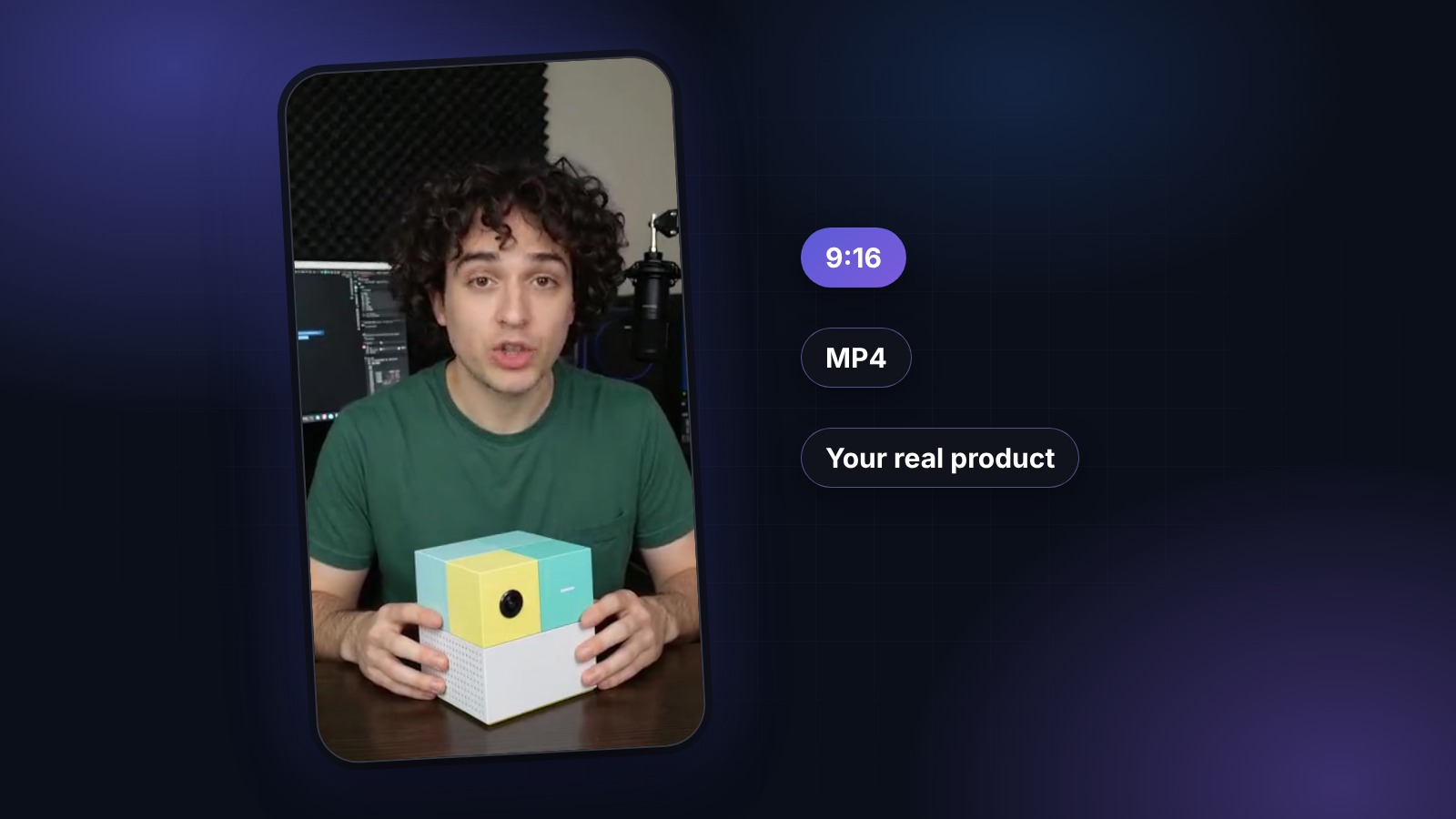
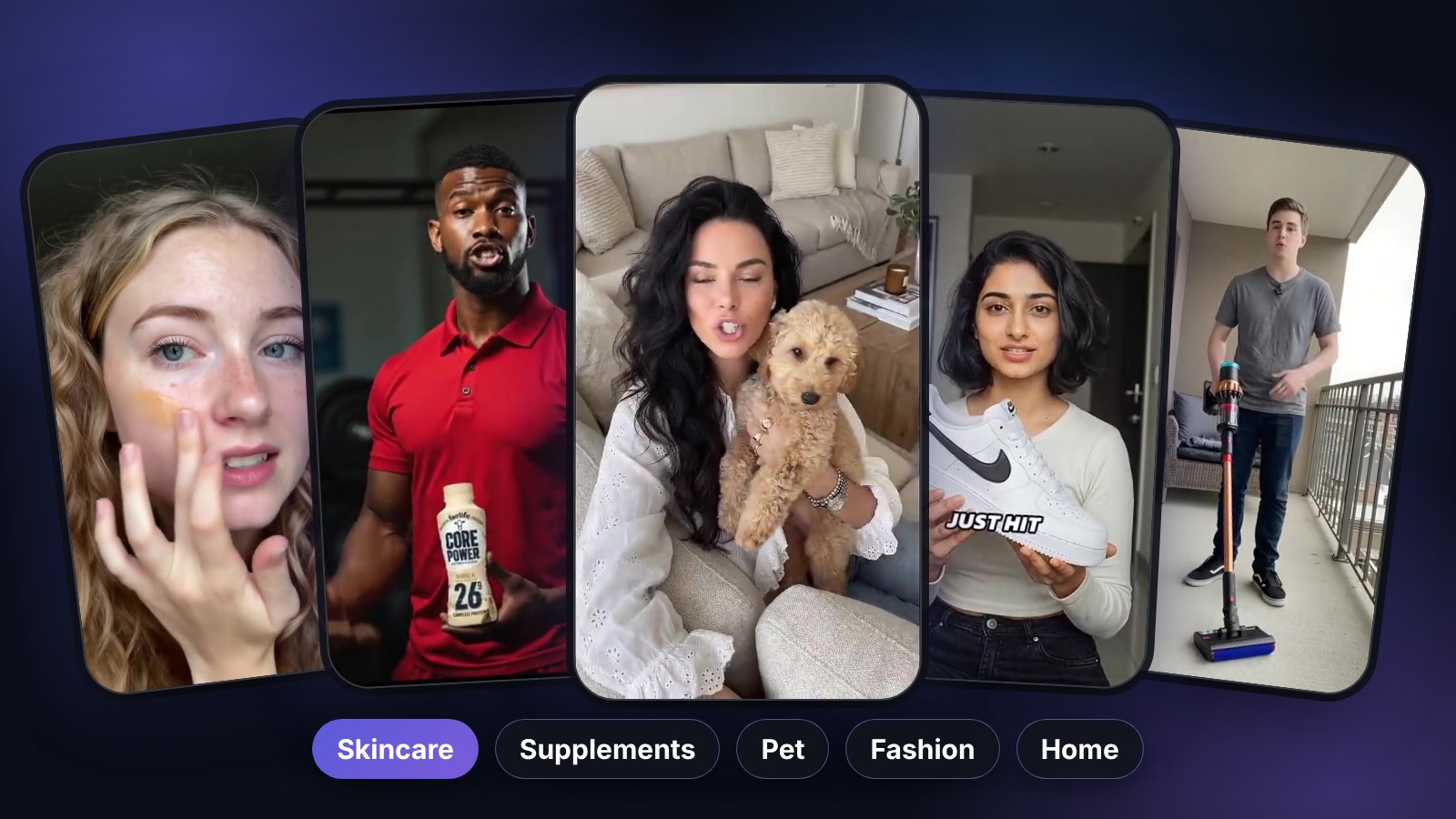
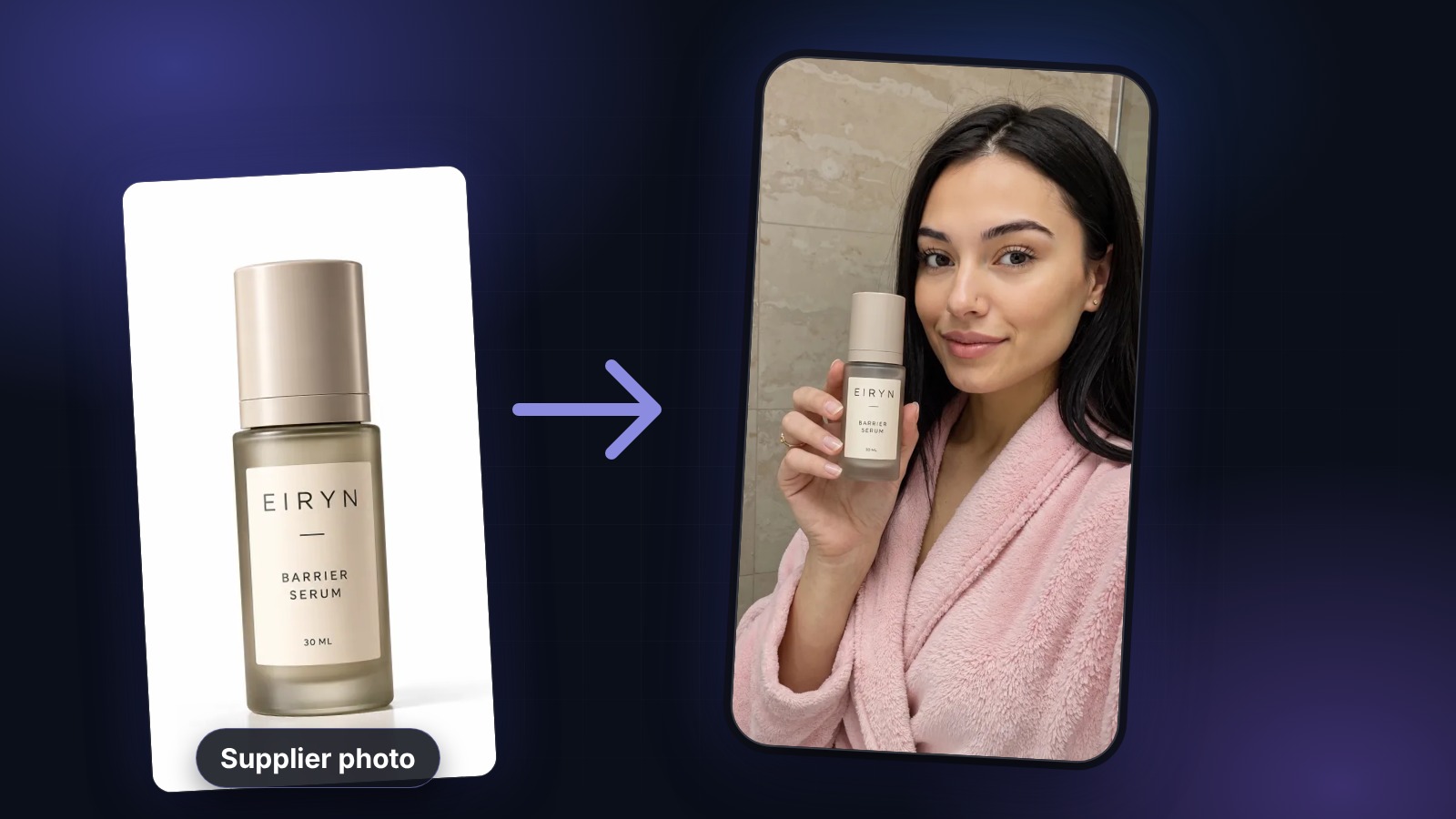
A year ago, getting a UGC-style ad meant finding a creator, shipping them your product, writing a brief and waiting two or three weeks for a video you might not even like. Today you can get a convincing one from a single product photo in about twenty minutes. The tools are not the hard part anymore. Knowing what to ask them for is.
This guide walks through how we make UGC ads with AI at UGCABC, using the same videos we ran on TikTok ourselves. You will see the actual hooks, the actual numbers and the mistakes we made, so you can skip a few of them.
What “UGC ads with AI” actually means
UGC (user-generated content) is the casual, talking-to-camera style that dominates TikTok, Reels and Shorts. It looks like a real person holding a product and telling you why they like it, not like a studio commercial. If you are new to the format, our primer on what UGC is and why it converts covers the basics.
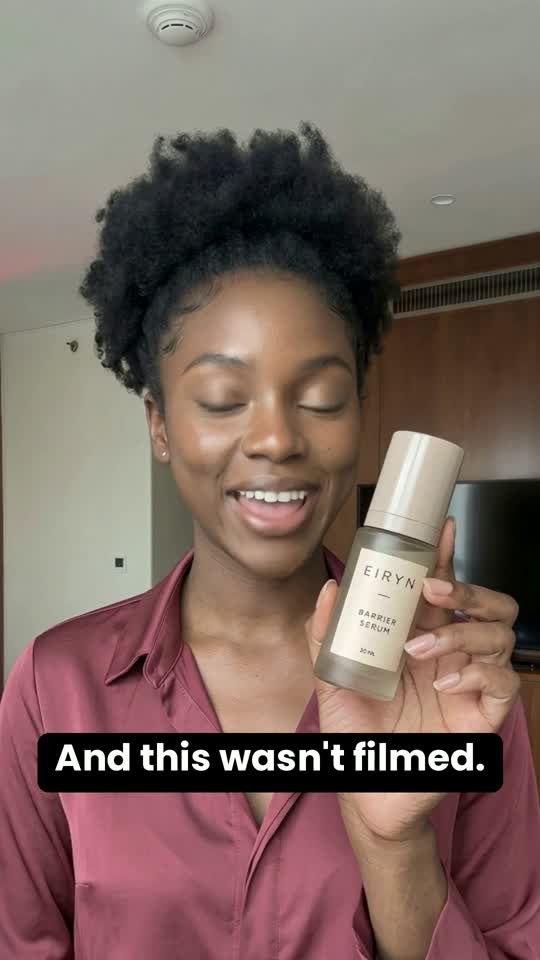
Making UGC ads with AI means you get that same look without a camera: an AI avatar delivers the script with a generated voice, and the product appears in their hands. The part most tools get wrong is the product. A generic bottle or a floating packshot gives the ad away immediately. Viewers need to see the exact thing you ship, held naturally, or the whole “real recommendation” feeling falls apart. That is the problem UGCABC was built around.
Step 1. Pick the angle before you touch any tool
The angle is the reason this product matters to this viewer. It decides more about performance than the avatar, the music or the editing. Write down three to five before you generate anything. The ones that travel well on social:
- Problem and solution: “I kept breaking out until I switched to this.”
- Objection buster: “I thought this was a gimmick. It isn’t.”
- Routine: “Here’s how I use it every morning.”
- Comparison: “Why I stopped paying for X.”
- Price shock: “How much do you think this cost?”
Cold audiences who have never heard of you usually need the problem named for them. People who already visited your site respond better to objection busters and comparisons.
Step 2. Write a hook that earns the next three seconds
On TikTok you are not competing with other ads. You are competing with the thumb. The first line has one task: make someone stop. Keep it short, concrete and a little bit tense, and never open with your brand name.
For our own test we kept everything identical and changed only the first line:
I’m not real.
Your ad is already getting old.
How much did this UGC shoot cost?
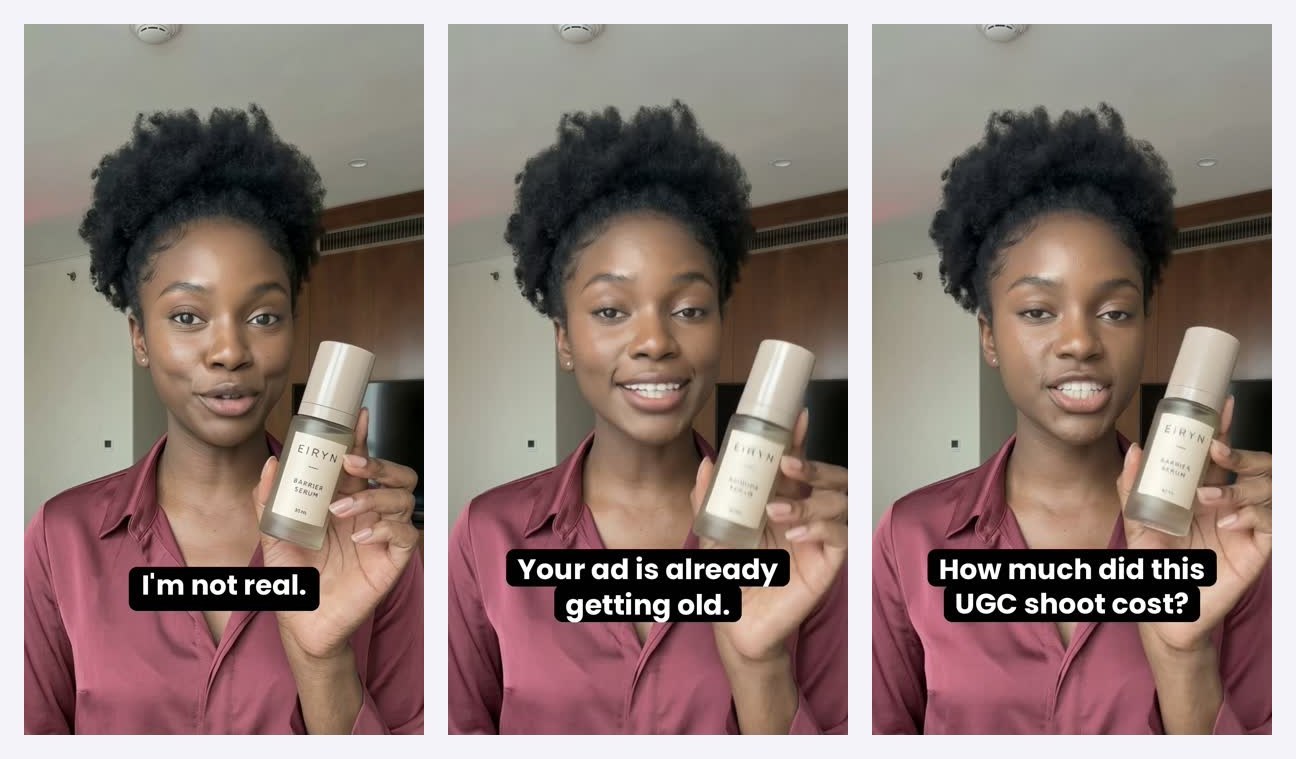
We wrote a separate deep dive on this: how to write a TikTok hook that stops the scroll.
Step 3. Make the video in UGCABC
This is the quick part. In UGCABC a Product Ad takes three steps:
- Paste your product page link or upload a product photo. We pull the product from the page and remove the background for you.
- Pick an avatar. There are more than 1,600 product actors, so you can match age, look and energy to the person who actually buys from you. Choose one that fits the customer, not the one you personally like best.
- Generate. You get a preview first, then the finished 9:16 video with captions, usually within 10 to 20 minutes. We write the script for you.
A Product Ad starts at 6 credits, which works out to $2.34 on your first pack with the new-account discount and under $5 on any regular pack. See pricing for the details. Your first previews are free, so you can judge the result before paying anything.
Step 4. Make variants and test like a media buyer
The real advantage of AI is not one cheap video. It is ten cheap videos. Take your best angle and make versions that change one thing at a time: a different hook, a different avatar, a different opening shot. If you change three things at once, you will never know which one worked.
Here is what our first round looked like on TikTok:
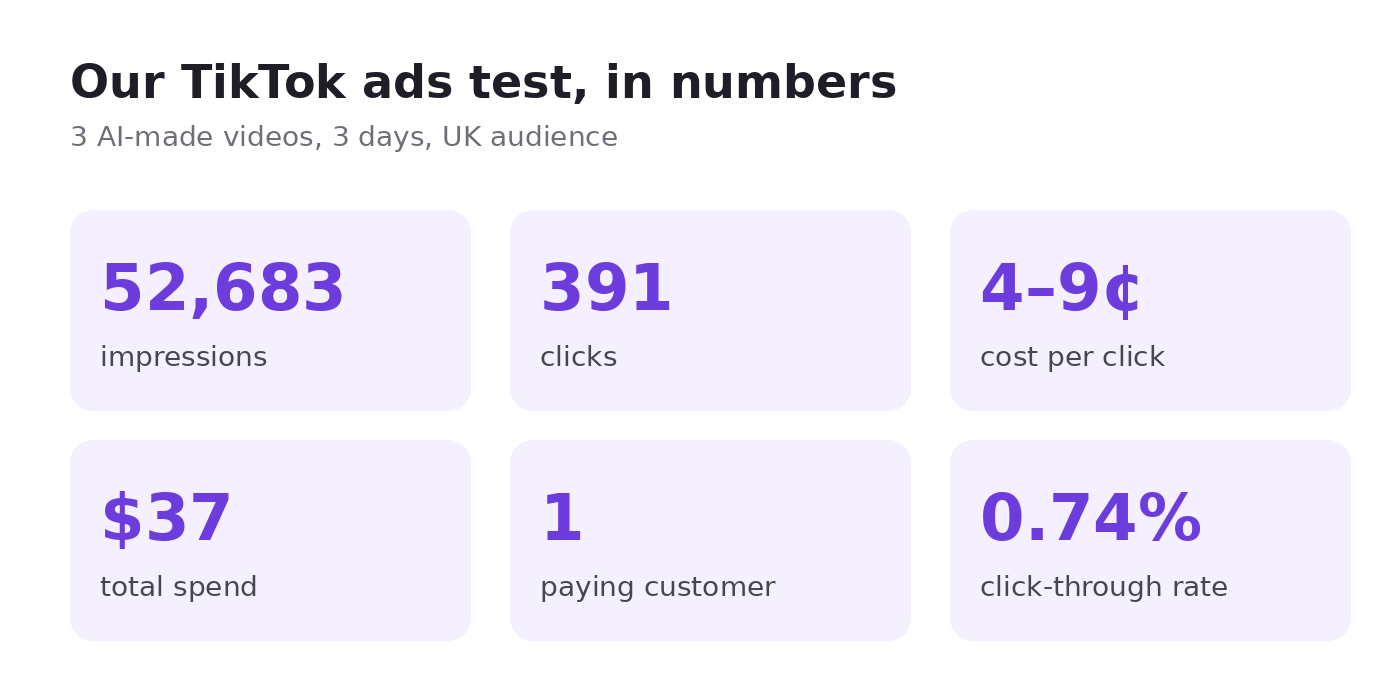
The ads did their job. People stopped, watched and clicked for 4 to 9 cents a click. What didn’t work was the step after the click: TikTok’s in-app browser broke our sign-up flow for a lot of visitors. We wrote the whole story up on Medium: 52,000 views later, here’s what broke.
Step 5. Finish for the platform and keep it honest
- Export vertical 9:16 for TikTok, Reels and Shorts.
- Keep captions on. A large share of people watch with the sound off.
- Aim for 15 to 30 seconds for cold traffic. Longer works for people who already know you.
- Label AI-generated content where the platform asks for it. TikTok and Meta both have a checkbox for this, and our guide to C2PA and AI ad disclosure explains why it matters.
- Own every claim in the script. The avatar will say exactly what you write, so don’t promise results you can’t back up, especially in skincare, supplements and finance.
When a real creator is still the better choice
AI is not the answer to everything. If the founder is the story, film the founder. If a real customer has a great testimonial, use it. If your product needs a complicated physical demo, a real shoot gives you more flexibility. Most brands we talk to end up mixing both: a few hero videos with real people, and a much larger volume of AI variants for weekly hook testing. Our UGC ad cost breakdown shows how the budget math works out.
Try it on your own product
The fastest way to see whether AI UGC works for your product is to look at your product in an avatar’s hands. Make your first Product Ad: the preview is free, and new accounts get 50% off the first pack for 48 hours.